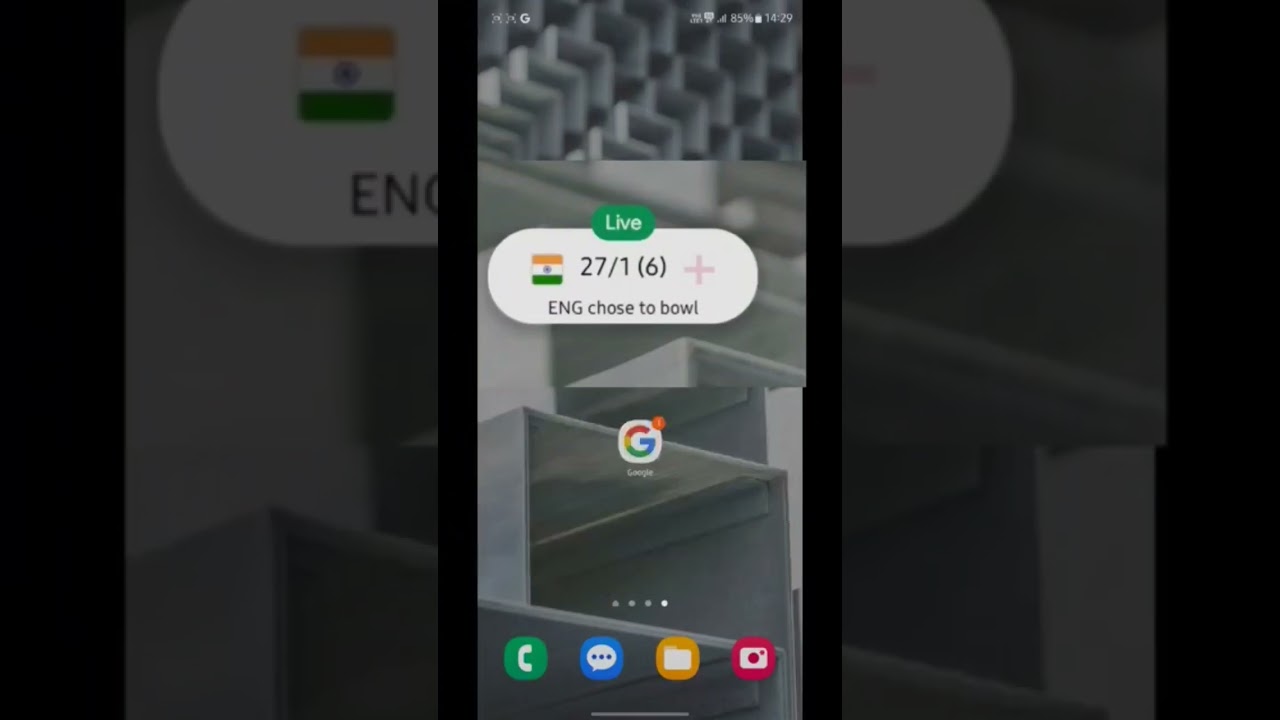
How to Pin Live Cricket Score on Home Screen: Step-by-Step Guide for Indian Fans 🏏
In India, cricket isn't just a sport; it is an emotion. Whether it is a high-voltage IPL match, a crucial ICC World Cup fixture, or a bilateral series involving Team India, fans want to stay updated every second. However, constantly unlocking your phone and opening an app to check the score can be a hassle.
The good news is that you can pin live cricket scores directly to your Android or iPhone home screen. This floating bubble or widget allows you to track every boundary and wicket while using other apps like WhatsApp or Instagram. Here is your ultimate guide to staying updated in real-time.
How to Pin Live Cricket Scores on Android (Google App)
Most Android users in India can use the built-in Google app to get a floating live score bubble. This is the most popular method as it doesn't require downloading heavy third-party apps.
- Open the Google App: Ensure you are signed in and your internet is active.
- Search for the Match: Type "Live Cricket Score" or the specific match name (e.g., "India vs Pakistan Live Score") in the search bar.
- Find the 'Pin Live Score' Button: For ongoing matches, Google will display a real-time scorecard. Look for a button that says "Pin Live Score".
- Drag and Place: A floating bubble will appear on your screen. You can drag it anywhere. Even if you close the browser, the score stays on top of other apps!
Using Third-Party Apps: Cricbuzz & ESPNcricinfo
If you want more detailed stats like run rate and commentary alongside the score, third-party apps are excellent alternatives.
- Cricbuzz: Open the app, go to the 'Matches' tab, and look for the 'Pin' icon or enable "Overlay" permissions in your phone settings to let the score float.
- Widgets: On both Android and iOS, you can long-press your home screen, select 'Widgets', find your favorite cricket app, and add the 'Live Score' widget to your screen.
How to Get Live Cricket Scores on iPhone (iOS 16 & Later)
For iPhone users in India, Apple’s Live Activities feature is a game-changer. It shows the score directly on your Lock Screen and the Dynamic Island (on newer models).
- Download an app that supports Live Activities, such as Cricbuzz or FotMob (for multi-sport).
- Go to Settings > [App Name] and ensure Live Activities is toggled ON.
- Open the app during a live match and tap "Follow" or "Star" the match. The score will automatically appear on your Lock Screen.
Why Pinning Live Scores is a Must for Indian Fans
With busy work schedules and travel, catching every ball on TV isn't possible. By pinning the live score, you can:
- Multitask without missing the action.
- Save battery compared to keeping a video stream open.
- Get instant updates even on slower 4G/5G networks.
Conclusion
Pinning live cricket scores is the most efficient way for the modern Indian fan to keep up with the game. Whether you prefer the simple Google "floating bubble" or the sleek iOS "Live Activities," setting it up takes less than a minute. Never miss a Virat Kohli century or a Jasprit Bumrah yorker again—set up your live score pin today!
Frequently Asked Questions (FAQs)
1. Why can't I see the 'Pin Live Score' button on Google?
This usually happens if the match hasn't started yet or if your "Draw over other apps" permission is disabled for the Google app. Check your phone's 'Apps' settings to enable this permission.
2. Does pinning a score consume a lot of data?
No, pinning a text-based live score uses minimal data compared to live streaming video. It is perfect for users on a limited daily data pack.
3. Can I pin scores for IPL matches?
Absolutely! The pinning feature works for all major tournaments, including the IPL, T20 World Cup, and Test matches.
4. How do I remove the pinned score from my screen?
Simply tap and hold the floating bubble and drag it to the 'X' or 'Remove' icon at the bottom of your screen.